Ninja Blender Blinking Lights: What Each Pattern Means
Ninja blender lights flashing and it won't start? What Ninja's own guides say each pattern means on the BN701, BL610 and BlendBOSS, and how to reset it.
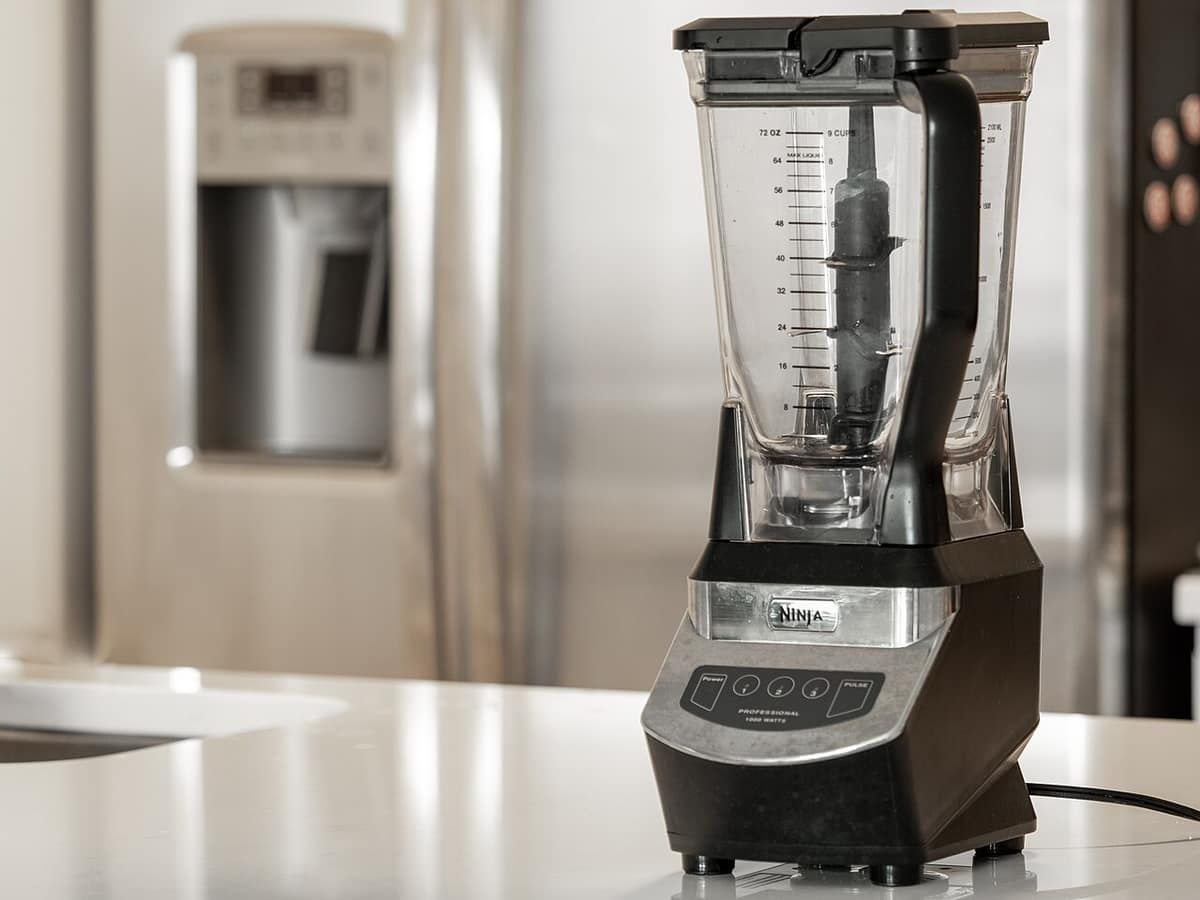
Ninja blender blinking lights on a corded model usually mean the safety system is keeping the motor off. Either the pitcher or cup isn’t locked onto the base with the lid locked on top, or the motor shut itself off after an overload or overheating. To fix it, reseat the container and lid with the triangles or arrows lined up, or unplug the blender and let it cool. Ninja’s BN700 Series owner’s guide gives about 15 minutes for an overload reset and about 30 minutes for a thermal reset.
Quick lookup: Ninja light patterns by model
Every row comes from Ninja’s own documents: the BN700 Series owner’s guide (the BN701 Professional Plus is a BN700 Series model), the BL610 owner’s guide (its troubleshooting section, as reproduced on Teklib) and SharkNinja’s DB300 Series BlendBOSS FAQ.
| Model family | What you see | What Ninja says it means | Fix | Wait time (manufacturer spec) | Source |
|---|---|---|---|---|---|
| BN701 / BN700 Professional Plus | Control-panel LEDs flash | Plugged in and on, no container installed | Lower the pitcher on and rotate it clockwise until it clicks | None stated | BN700 owner’s guide |
| BN701 / BN700 | Program buttons don’t light, motor won’t run | Pitcher and lid not properly installed, so the motor is disabled | Line up the lid and handle triangles, press the handle until it clicks | None stated | BN700 owner’s guide |
| BN701 / BN700 | Motor temporarily disabled; light behavior not published | Overload protection disabled the motor | Unplug, cool, empty the pitcher, clear jams | About 15 min | BN700 owner’s guide |
| BN701 / BN700 | Motor stops; light behavior not published | Thermal switch tripped from overheating | Unplug and cool | About 30 min | BN700 owner’s guide |
| BL610 Professional | Unit stops and the power light flashes | Unit overloaded | Unplug and wait | About 15 min | BL610 owner’s guide |
| BL610 Professional | Motor doesn’t start; light behavior not published | Unit overheated | Unplug and wait | About 15 min | BL610 owner’s guide |
| BlendBOSS DB300 / DB301 | All 5 progress-bar lights flash | Plugged in, no container installed | Place the cup and rotate it clockwise until it clicks | None stated | SharkNinja DB300 FAQ |
| BlendBOSS DB300 / DB301 | One red progress-bar light | Runtime protection mode | Unplug to reset; check liquid, fill level and blades | Not published | SharkNinja DB300 FAQ |
| BlendBOSS DB300 / DB301 | Selected program button flashes | Blades stuck or struggling with a large or frozen ingredient | Clear debris from the base area, unblock the blades, add liquid | None stated | SharkNinja DB300 FAQ |
The last three rows cover Ninja BlendBOSS flashing lights. SharkNinja’s FAQ lists the DB300 and DB301 models only, so check the BlendBOSS section below if you own a DB351.
Cause 1: the pitcher isn’t seated or the lid isn’t locked (safety interlock)
All three model families have an interlock that keeps the motor off until the container and lid are locked.
Ninja blender lid won’t lock: Professional Plus (BN701)
Per the BN700 owner’s guide:
- Lower the pitcher onto the base with the handle slightly to the right and the LOCK symbols showing, then rotate it clockwise until it clicks.
- Drop the Stacked Blade Assembly onto the drive gear. Ninja notes it sits loosely. If it isn’t fully seated, the lid won’t lock.
- Put the lid on with the triangle on the lid lined up with the triangle on the handle. Press the handle down until it clicks. Ninja says the triangles “MUST be aligned for the lid to lock and the unit to operate.”
- Press Power. The available program buttons light up when the blender is ready.
Older Professional (BL610)
The BL610 guide tells you to make sure the lid is securely on the container “in the correct position (align arrows).”
BlendBOSS
Per SharkNinja’s DB300 Series FAQ:
- Thread the blade assembly fully onto the cup so it sits flush with the cup’s lip and leaves no gap.
- Line up the cup handle with the tab on the blade assembly while you screw it on. SharkNinja’s FAQ notes “there is no audible click” when the blade is on correctly.
- Set the cup on the base and rotate it clockwise until it clicks.
Cause 2: overload or overheating shut the motor off
The BN700 guide describes two separate protections with two different wait times.
Overload reset. The guide’s “Resetting the motor” steps are:
- Unplug the unit.
- Let it cool for “approximately 15 minutes.”
- Remove the lid and blade assembly, empty the pitcher and make sure nothing is jamming the blades.
Ninja says exceeding the maximum capacity “is the most typical cause of appliance overload.” The BN701’s 72 oz pitcher has a 64 oz max liquid capacity (manufacturer spec).
Thermal switch. Warning 38 in the same guide says overheating trips a thermal switch that disables the motor. To reset it, unplug the blender and let it cool “for approximately 30 minutes.”
The guide doesn’t say which lights show for each case. If you can’t tell whether it was an overload or overheating, wait the full 30 minutes, which covers both of the manual’s wait times. The BL610 guide gives about 15 minutes for both an overload and an overheat.
If the motor gave off a smell before it stopped, see why a blender smells like burning.
Ninja BlendBOSS flashing lights: the progress bar explained
SharkNinja’s DB300 Series FAQ, dated March 20, 2026, explains three patterns:
- All 5 lights flashing: the base is plugged in with no container. Place the cup and rotate it clockwise until it clicks.
- One red light: “The unit needs to be unplugged to reset, this will cancel the runtime protection mode.” Next time, use enough liquid, don’t overfill, and check that nothing is stuck in the blades.
- Your selected program flashing: the blades may be stuck or struggling with a large or frozen ingredient. Clean any debris out of the base area, make sure the blades aren’t blocked, and add liquid.
The FAQ lists the DB300 and DB301 variants only and doesn’t name the DB351. The DB351 is also sold under the BlendBOSS name, but none of the Ninja documents read for this page say whether its lights mean the same things. Our Ninja BlendBOSS DB351 review covers that model.
Ninja blender won’t start and the lights keep blinking after you’ve reseated it
If your Ninja blender won’t start after a careful reseat and a full cool-down, the interlock part itself may be worn or broken. The owner reports we found are in an iFixit Answers thread about a 1100 W Professional blender, model BL663CO, a different model from the BN701.
- The highest-scored answer (score 23, October 2015) says to line up the arrow on the lid with the arrow on the handle and to check you’re using the correct lid.
- One owner (score 7, February 2017) reports that the black plastic part on the handle that presses down when the jar locks can slip out of position.
- Another (score 5, May 2018) reports that the part of the lid that presses a small button at the handle had broken off.
Some answers in that thread describe ways to defeat the switch. We won’t repeat them. Ninja’s BN700 guide says “DO NOT attempt to defeat the interlock mechanism,” and its warranty excludes any unit that has been tampered with. The BL663CO is also one of the 12 models in CPSC recall 16-034 (November 12, 2015), a laceration recall for the loose stacked blade assembly, so check whether your blender is recalled.
The fix for a broken lid tab or pitcher is a replacement part, or a call to Ninja Customer Service at 1-877-646-5288 (from the BN700 guide). The guide’s one-year limited warranty covers the original owner only. It excludes normal wear and tear of wearable parts such as blending vessels and lids, so a worn lid may not be covered.
No lights at all is a different problem: see what to check when a blender won’t turn on.
What blinking does NOT mean on a corded Ninja
Some troubleshooting pages mix up product lines. SlashGear’s guide covers red and green battery and charger codes for the cordless Blast Max BC200 and BC250 series, plus white, orange and purple codes for the Blast and Blast Max portables. Those are battery-powered models, so the charging codes don’t apply to a corded blender.
None of the Ninja documents read for this page assigns meanings to colors such as orange, purple or white. Match the pattern you see to your model’s own guide.
How to stop it happening again
All of these come from Ninja’s BN700 guide unless noted:
- Fill no higher than the MAX LIQUID line.
- If ingredients keep getting stuck, use the Auto-iQ programs. Their pulses and pauses let food settle toward the blades. Adding some liquid usually helps too.
- For ice, use ice straight from the freezer, not ice that has started to melt.
- Keep the counter and the blender’s feet clean and dry so the base doesn’t move while blending. SharkNinja’s BlendBOSS FAQ gives the same advice.
- Never blend hot or carbonated liquids in the BN701. Warning 6 says it “may result in pressure buildup and steam.” More in can you put hot liquid in a blender.
More on Ninja blenders
- Best blenders
- Ninja BL610 vs BN701
- How to clean a blender, including debris in the base area
- Blender recall check
- How we research
Frequently asked questions
Why are all the lights flashing on my Ninja blender?
All the lights flash because the blender is plugged in and powered on but no container is installed. Ninja's BN700 owner's guide says the control-panel LEDs flash in that state, and SharkNinja's BlendBOSS FAQ says all 5 progress-bar lights flash. Seat the pitcher or cup and turn it clockwise until it clicks, and the program buttons light up.
How do I reset my Ninja blender after it stops?
Unplug it and let it cool. For an overload stop, Ninja's BN700 guide says to wait about 15 minutes, then remove the lid and blades, empty the pitcher and clear any jam. If the thermal switch tripped from overheating, the same guide says about 30 minutes. If you don't know which one it was, wait the full 30.
Why won't my Ninja blender lid lock?
On the BN701 the lid only locks when its triangle lines up with the triangle on the handle and the Stacked Blade Assembly is fully seated, per Ninja's BN700 guide. A blade stack sitting high stops the lid from locking. The older BL610 uses arrows instead. Its guide says to align the arrows and seat the lid securely.
What does one red light on the Ninja BlendBOSS mean?
One red light on the progress bar means the BlendBOSS has gone into runtime protection mode. SharkNinja's DB300 Series FAQ says to unplug the unit to reset it. To avoid it next time, use enough liquid, don't overfill the cup and check that no ingredients are stuck in the blades. The FAQ gives no wait time.
Is it safe to bypass the Ninja blender lid sensor?
No. Ninja's BN700 owner's guide says DO NOT attempt to defeat the interlock mechanism and never to run the blender without its lids in place. Its warranty also excludes any unit that has been tampered with. If the lid tab or switch is broken, replace the lid or pitcher, or call Ninja Customer Service at 1-877-646-5288.
Sources
- files.bbystatic.com/m1NH7lSdseYGtt3pTyhjEg==/b6d70423-79ae-4911-96a8-afa98a22e926
- support.sharkninja.com/article/DB300-Series-Ninja-Blendboss-FAQs
- teklib.com/library/ninja-professional-blender-1000-bl610-owners-guide
- ifixit.com/Answers/View/262834/Why+is+the+power+light+blinking
- slashgear.com/1925511/ninja-blender-blinking-red-light-why-how-to-fix-kitchen-appliance
- cpsc.gov/Recalls/2016/Laceration-Injuries-Prompt-SharkNinja-to-Recall-Ninja-BL660-Blenders